

Day #29 Unity Junior Programmer

Today I worked on adding new functionality to a game project I’ve been working on. The first new feature I added was a title screen that allows the user to start the game. This may seem like a small addition, but it’s an important part of any game as it sets the tone and prepares the player for what’s to come.
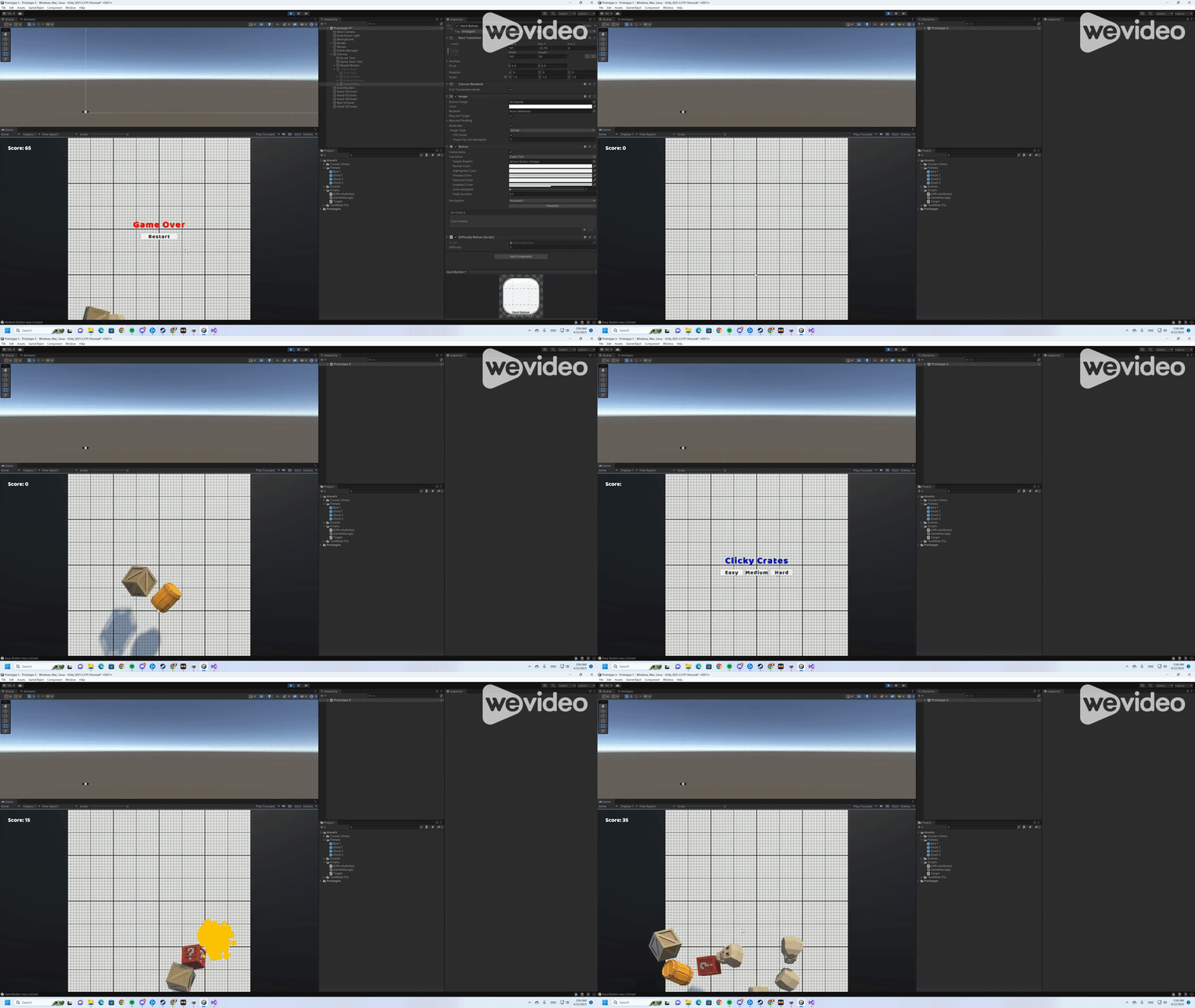
The second feature I added was a difficulty selection that affects the spawn rate of objects in the game. This is a great way to add replayability to the game, as players can choose to challenge themselves with harder difficulty levels once they’ve mastered the basics. The addition of a difficulty selection also showcases my ability to incorporate player choice into the game design.
To implement these new features, I had to learn some new skills and concepts. One of the skills I used was AddListener(), which allowed me to detect when a button on the title screen was clicked and perform the appropriate action. I also had to learn how to pass parameters between scripts, which allowed me to pass the selected difficulty level from the title screen to the game manager script.
Another skill I used was the divide/assign (/=) operator, which made it easy to adjust the spawn rate based on the selected difficulty level. I also learned how to group child objects, which made it easier to adjust the spawn rate of objects in the game.
I was able to add new features that make the game more engaging and challenging, and I learned new skills that I can apply to future projects. In my next lesson, I’ll be working on adding even more complexity to the game by incorporating buttons in a way that really tests the player’s skills.


Comments